Live interview coaching for Mac

Know how to start every answer.

Notch Coach listens to your interview call and, about two seconds after each question, shows your opening line under your MacBook's notch. Then the rest of the answer and the facts you need, from your own resume and stories.

A$49, one payment (buyers in Australia pay GST on top at checkout). No subscription, no account. Macs with Apple silicon on macOS 26 or later. Uses your own Claude plan or Anthropic API key.

How it works

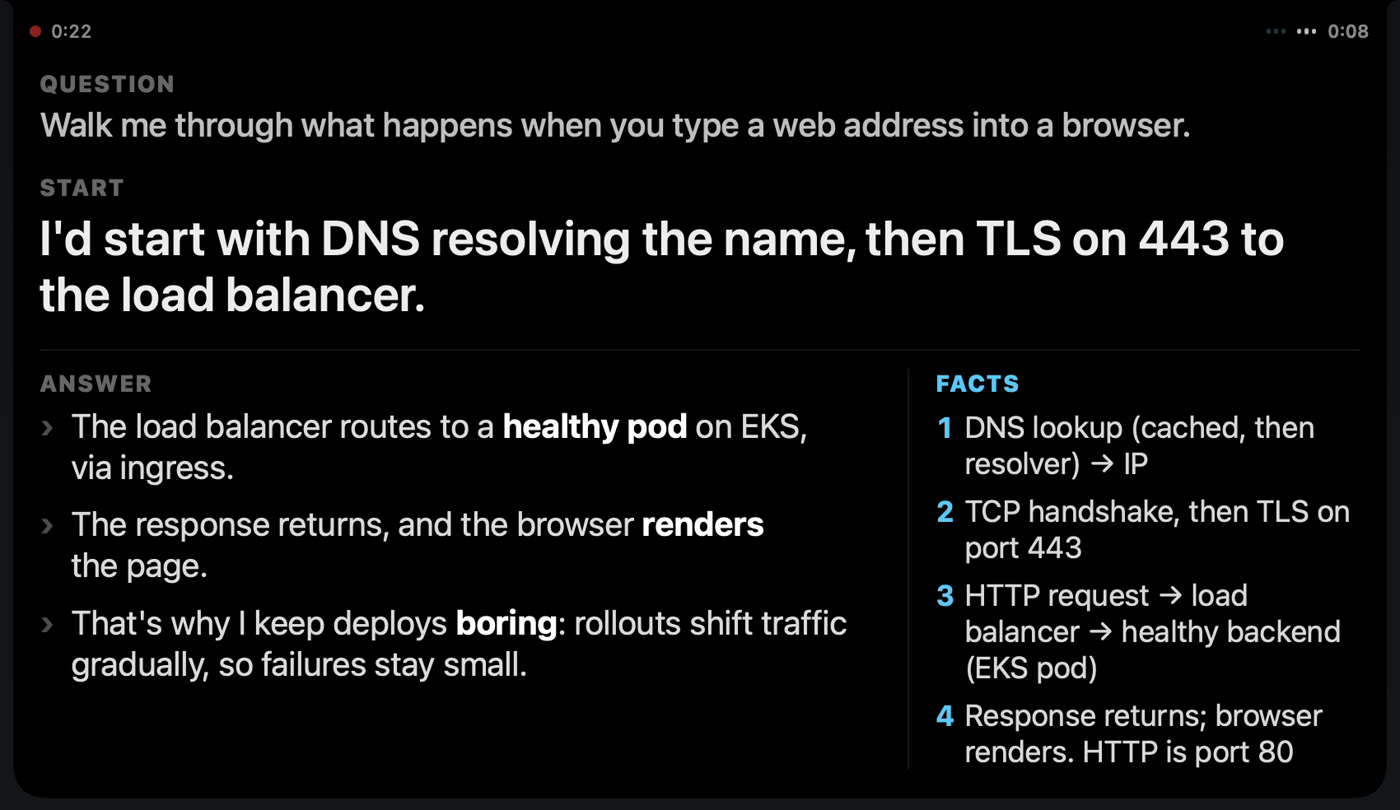
A coach right under the notch, where you're already looking.

Your opening line, about two seconds after they ask

When the interviewer finishes a question, the first sentence to say appears under the notch. It doesn't change once it's there, so you can start talking. Then the rest of the answer, with the key words in bold, and the facts you might need.
Catch a slip while you can still fix it

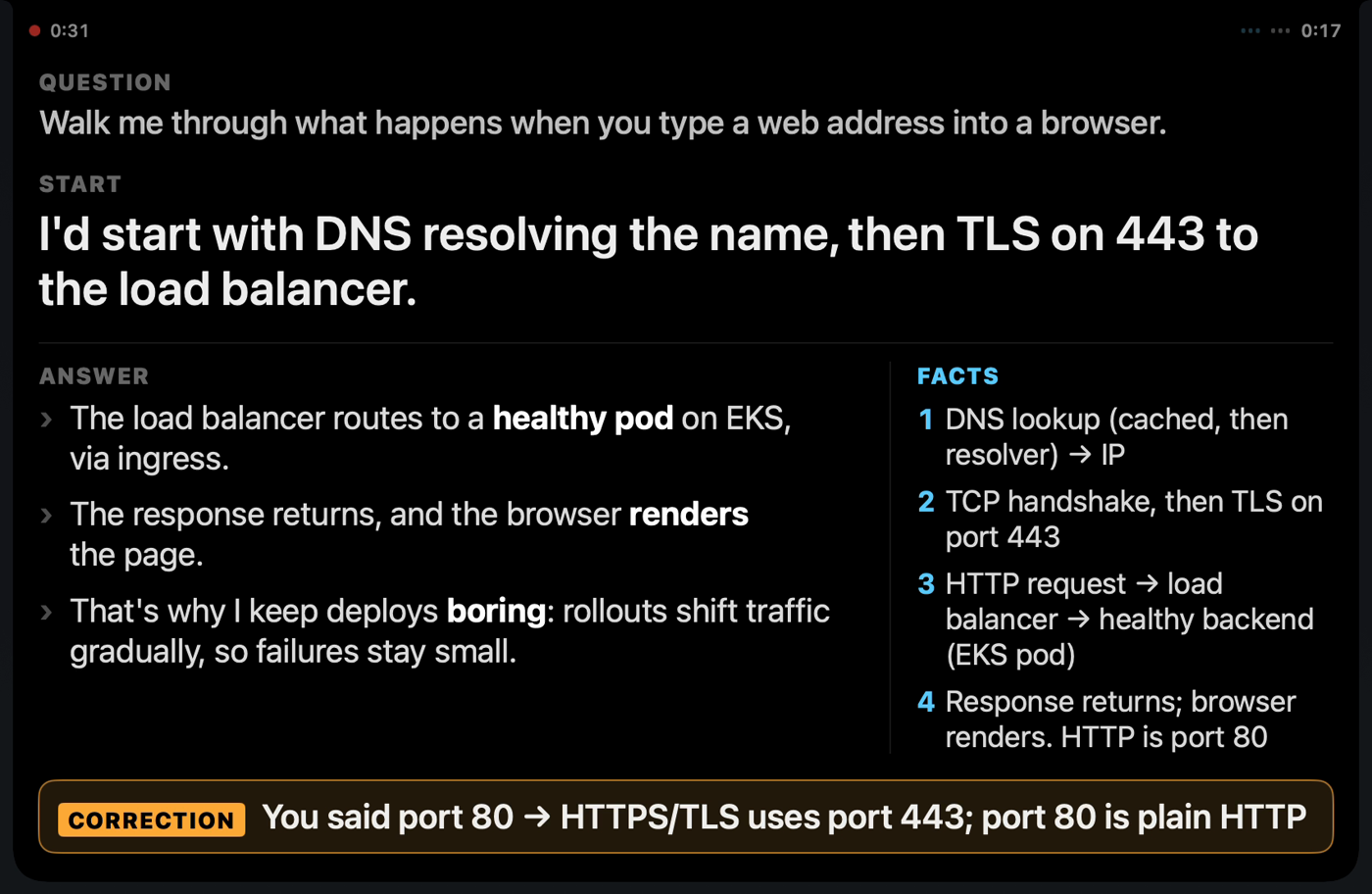
Say port 80 when you meant 443, and a correction appears while you're still answering, so you can put it right before you finish.
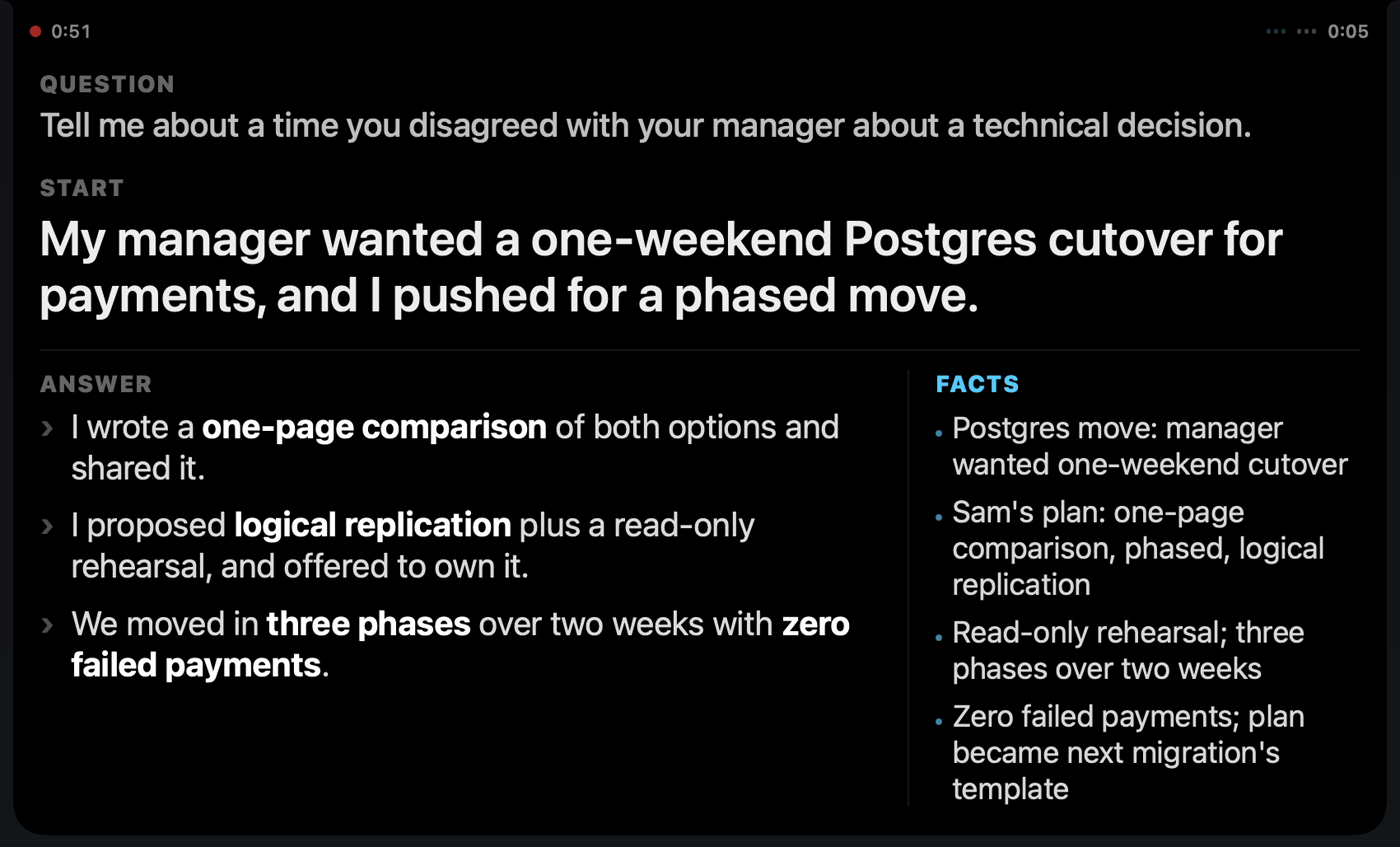
Answers built from what you actually did

Your resume and your stories, with the numbers, are what it draws on. Behavioural questions get answered with your real experience, and the facts you mark stay exactly right.
A debrief after every interview

What went well, what hurt, and for each question what you said and what to say instead. Notch Coach reads your last debriefs before your next interview, so it watches for the mistakes you've actually made.

Interview debrief: Northwind LogisticsWhat hurt, most important first. 1. You said TLS runs on port 80. It's 443. In a platform interview, a wrong fact on a fundamentals question can make the senior engineer doubt the rest of your answer. 2. Your answer was textbook, not senior: you stopped at "renders the page" and didn't mention the load balancer or the stack they actually run.
Setup

Ready in about five minutes.

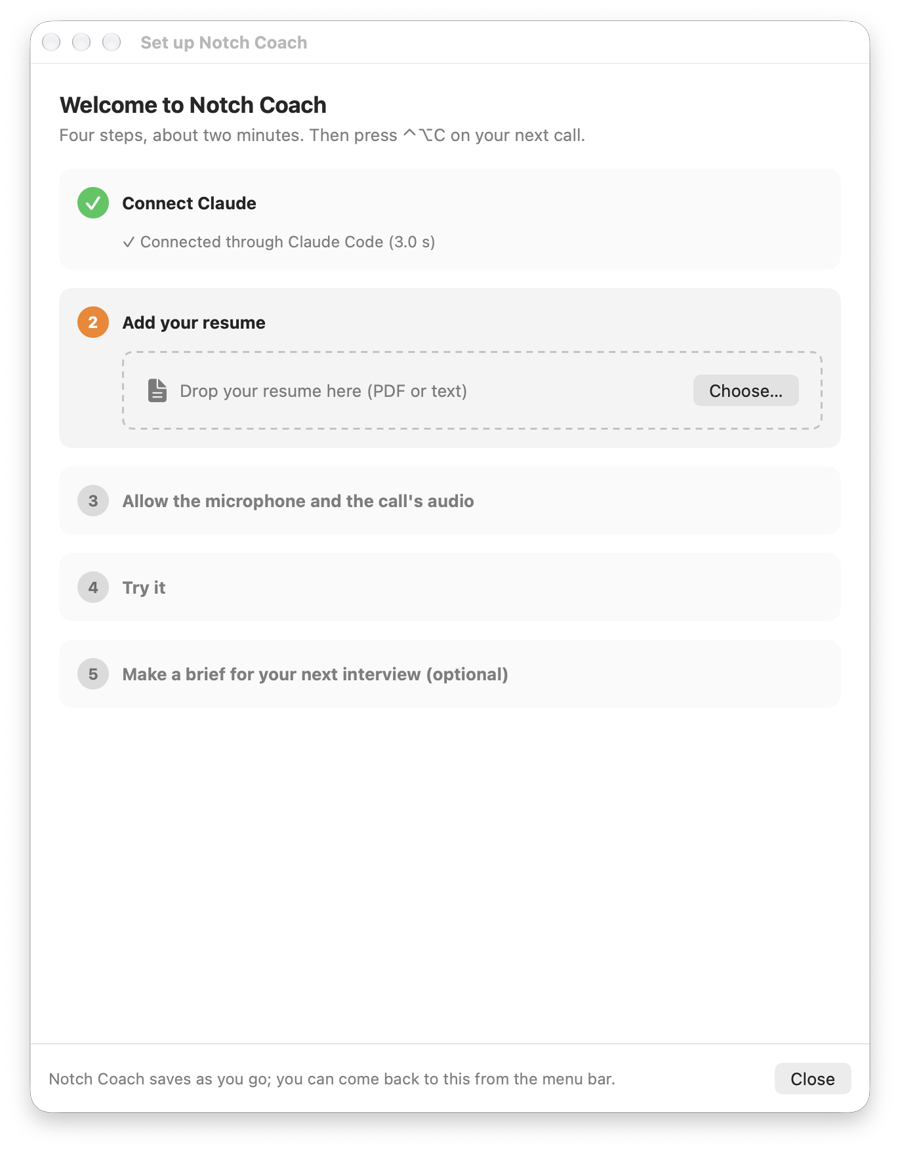
  1. Connect Claude. Your Claude Pro or Max plan through Claude Code (one click installs it and starts the sign-in), or an Anthropic API key.
  2. Drop in your resume. Claude reads it and fills in your profile: your name, a line about you, the facts to get exactly right.
  3. Allow the microphone and the call's audio. macOS asks once.
  4. Try a practice question and watch the answer drop down from the notch.
  5. Before an interview, paste the job ad. Claude writes the brief, and ⌃⌥C on the call starts with it.
The setup checklist
Private by design

Your interview stays yours.

Transcribed on your MacApple's on-device speech recognition. The audio is never recorded or sent.
Your own ClaudeYour Claude Pro or Max plan, or your Anthropic API key, kept in your Keychain.
No account, no trackingNothing comes to us. The app has no analytics and nothing to sign up for.
Notes stay on your MacSessions and debriefs are files in folders you choose.
Price

Pay once. Keep it.

A$49one payment
  • The Notch Coach app for Mac
  • The install and user guide
  • 14-day refund if it doesn't work on your Mac
  • Checkout by Gumroad; buyers in Australia pay GST on top
  • No subscription, no account, nothing to activate
Buy for A$49
What you need
  • A Mac with Apple silicon (M1 or later) on macOS 26 Tahoe or later. A MacBook with a notch is where it shines.
  • Claude: Claude Code with a Claude Pro or Max plan (nothing extra to pay), or an Anthropic API key (about US$1 to US$2 for an hour-long interview).
  • Headphones are best.
Questions

Asked and answered.

Is it a subscription?

No. You pay once and keep the version you bought. There's no account and nothing to activate.

Do I need to pay for Claude as well?

You need one of the two. If you already have Claude Pro or Max, install Claude Code and sign in, and Notch Coach uses your plan. Otherwise create an Anthropic API key; an hour-long interview costs about US$1 to US$2 at Anthropic's prices.

Is it hard to set up?

About five minutes. Drag your resume and stories into Settings, choose Claude Code or paste an API key, test the connection, and allow the microphone and call audio. The setup video on this page shows it from download to the first question.

Which Macs does it work on?

Macs with Apple silicon (M1 or later) on macOS 26 Tahoe or later. It doesn't run on Intel Macs, Windows, iPad or phones.

Does it work with Zoom, Teams, Google Meet and phone calls on my Mac?

Yes: it listens to your Mac's sound, so it works with any call app on that Mac. For an interview in person, choose "Listen to the room".

Can the interviewer see it?

The panel doesn't show in screenshots or screen shares. Whether you may use help in an interview is up to the employer: some allow notes and some don't, so check the rules. Plenty of people use Notch Coach to practise with mock interviews and for the debrief afterwards.

Is my interview recorded or sent anywhere?

The audio is turned into text on your Mac and never saved or sent. The text goes to Anthropic (Claude) through your own plan or key so it can write what's on screen and the debrief. Nothing is sent to us.

What languages does it understand?

English, in the accent your Mac is set to (Australian, British, American and others).

How fast is it?

The first line usually appears within about two seconds of them finishing the question. An API key is a little quicker than Claude Code.

What if it doesn't work on my Mac?

Email us within 14 days and we'll refund you in full. Your rights under the Australian Consumer Law apply as well.

Do I get updates?

Version 1.0 is what you're buying. Updates and support aren't included, apart from what the Australian Consumer Law requires.

Notch Coach's suggestions come from an AI model and can be wrong; you decide what to say. You're responsible for getting any consent the law requires to transcribe a conversation and for following the rules of any interview you use it in.